"Tools of the Trade"
At Jesuit HS we use a number of tech tools in our daily routine, tools
that were pretty much unavailable ten years ago. Here is how we use
Google Docs, Google Maps, a display clock, Flotrackr, Athletic.net, and
a minicamcorder.
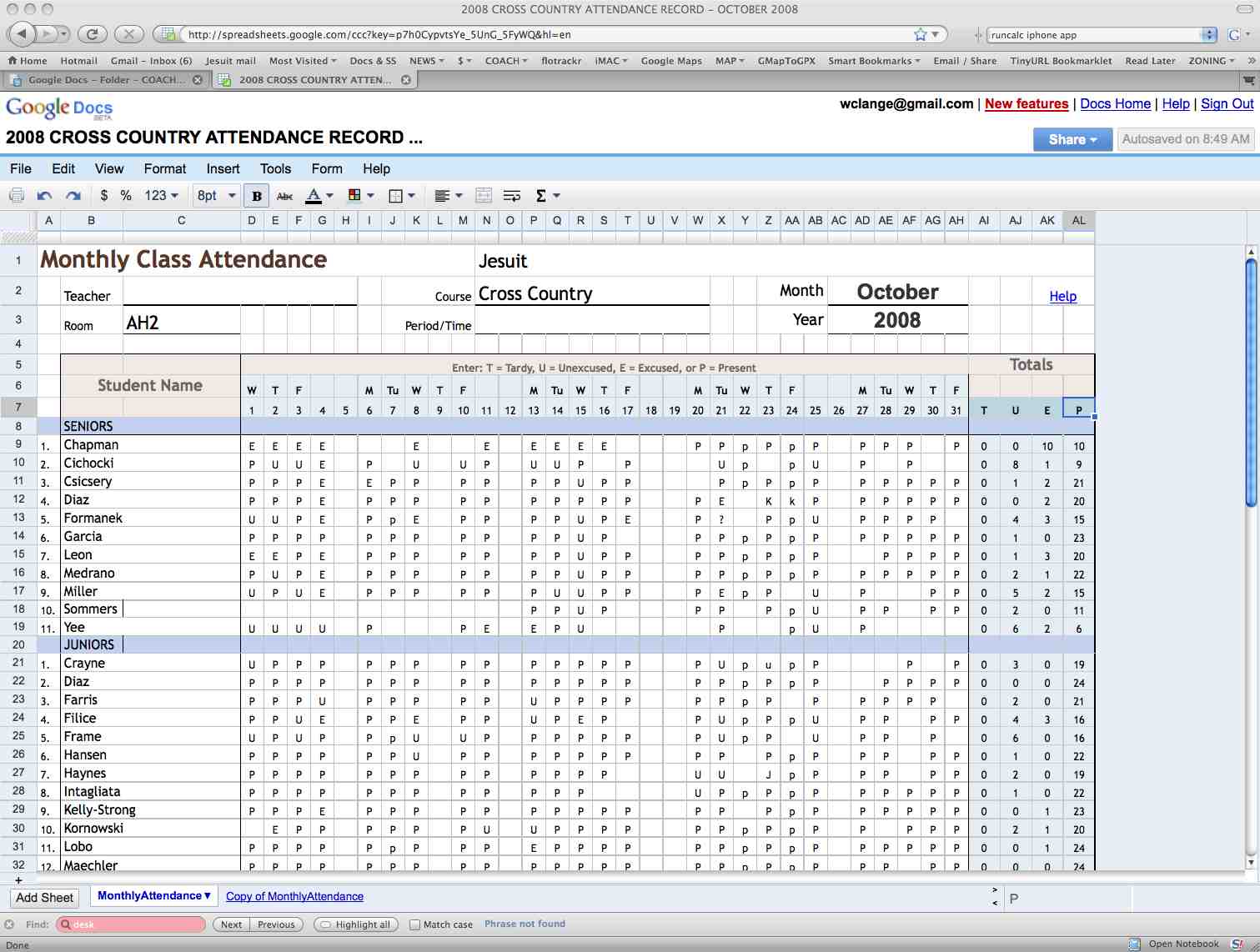
Google Docs. The head coach creates various documents at Google Docs and shares them with his assistants. Some of these documents are:
Google Docs template used for roll call. Prior to the workout, the team meets in a classroom where the daily roll call, workout, and running-related media (video, slideshows) are projected on a large screen. Videos are usually from Flotrackr ("Workout Wednesdays" are great!), slideshows are usually from our own website showing the most recent meet. Roll is taken as athletes enter the classroom.
ROLL CALL
The workout plan is usually completed at the start of the day and made available to the assistant coaches by 8 a.m.; they print out and bring their own copies to practice that afternoon. The workouts are created and saved each day at Google Docs. The same template is used each day.
Workout plan for October 21, 2008
Column 1: today's workout, week's workout plan, remaining schedule, core exercises menu
Columns 2-4: groups with training paces, routes to be run, distances, time targets
Column 4, bottom: prospects, mostly freshmen. We have found the time target feature to be quite useful--it gives every runner on the team a goal for that workout.

RUNNING ROUTES
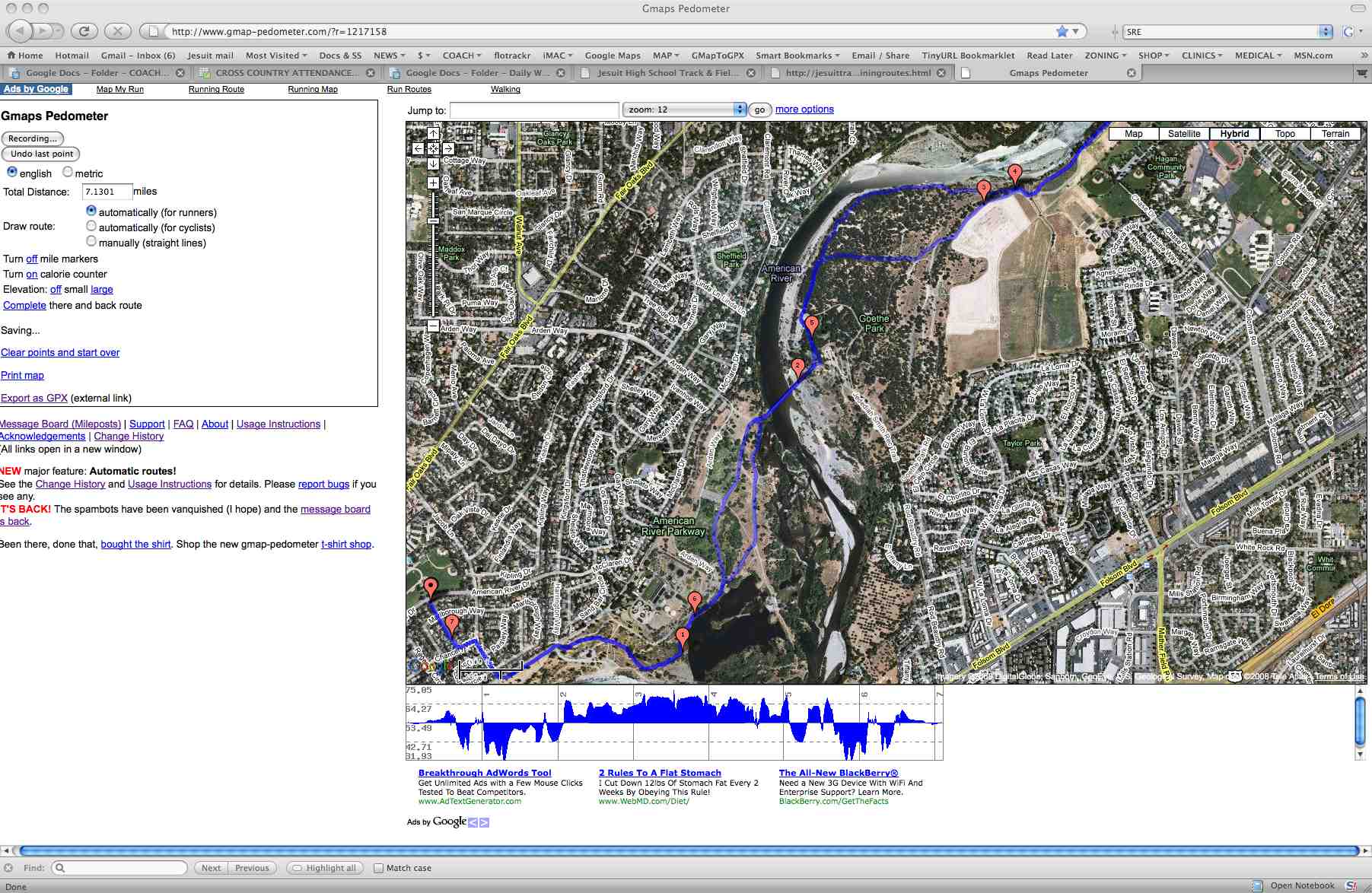
Most of our running routes have been mapped at Gmaps Pedometer. You can check them out here. Here's an example:
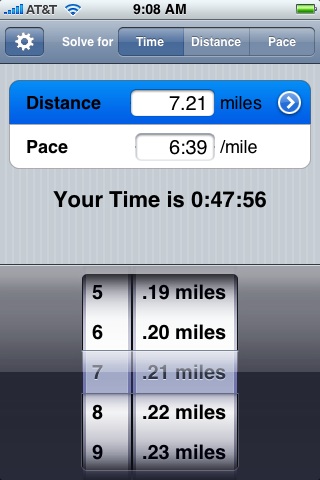
Time targets are calculated with RunCalc, a 99¢ iPhone program. There are lots of calculators on the web, but this one is very quick with its rotary dial. Here's the calculation for the varsity group for the workout of October 21st:
Here are some more apps an iPhone-toting coaching geek may find useful:
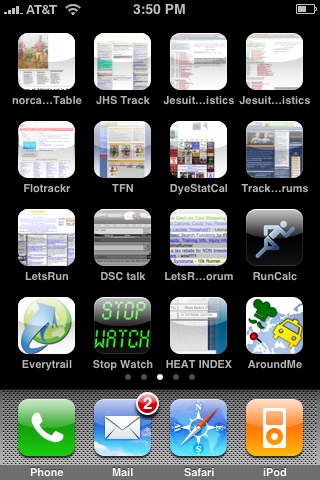
DISPLAY CLOCK
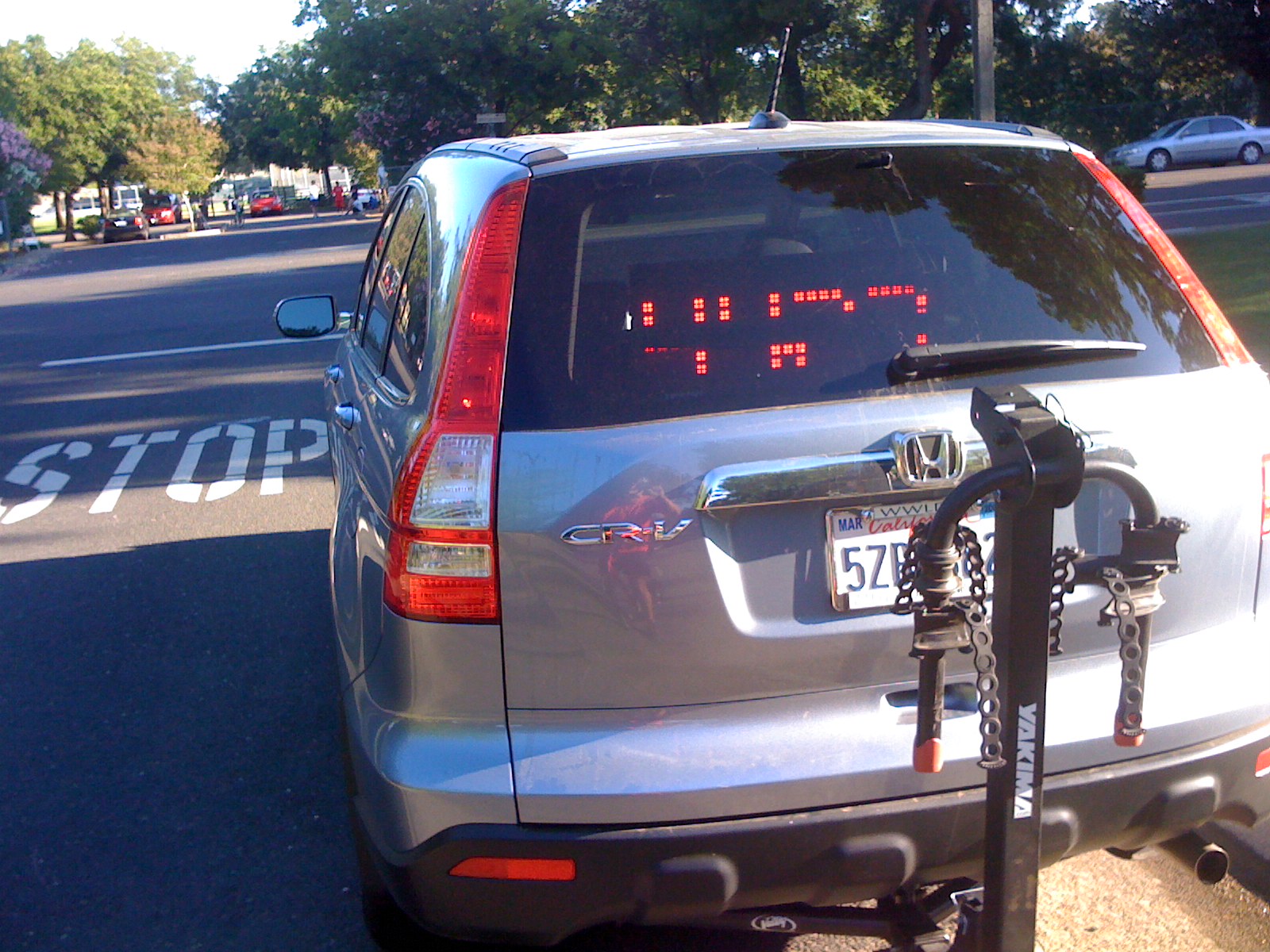
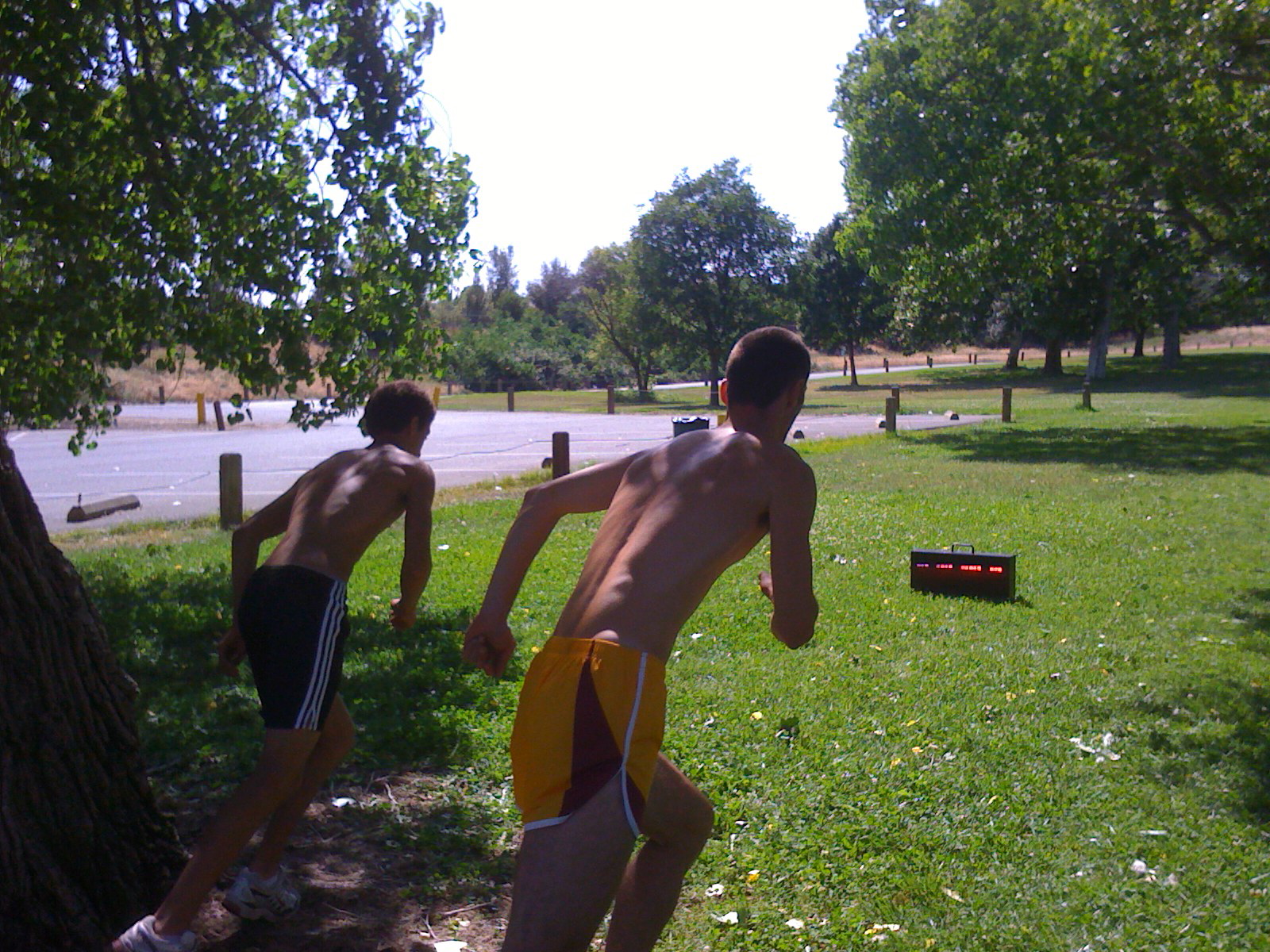
We use a display clock (IST's SWIMCLOCK) for nearly all our team workouts. For steady run days the clock sits in the back window of the coach's car, across the street from the start/finish. Running groups are started in waves every 15 seconds, with the group running the farthest going first. Athletes are expected to note their times at the completion of the run and enter it into Flotrackr that night.
 |
 |
FLOTRACKR
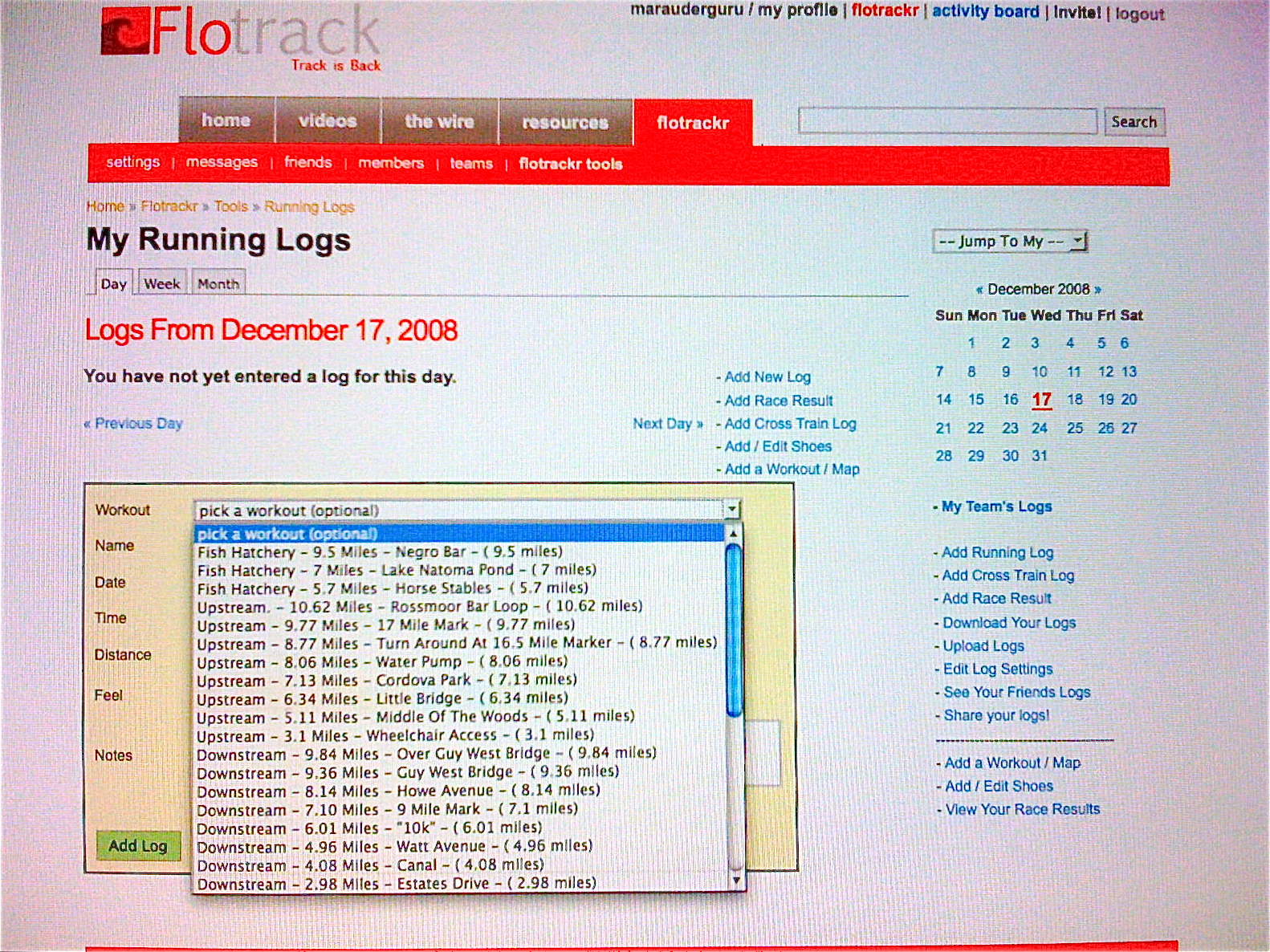
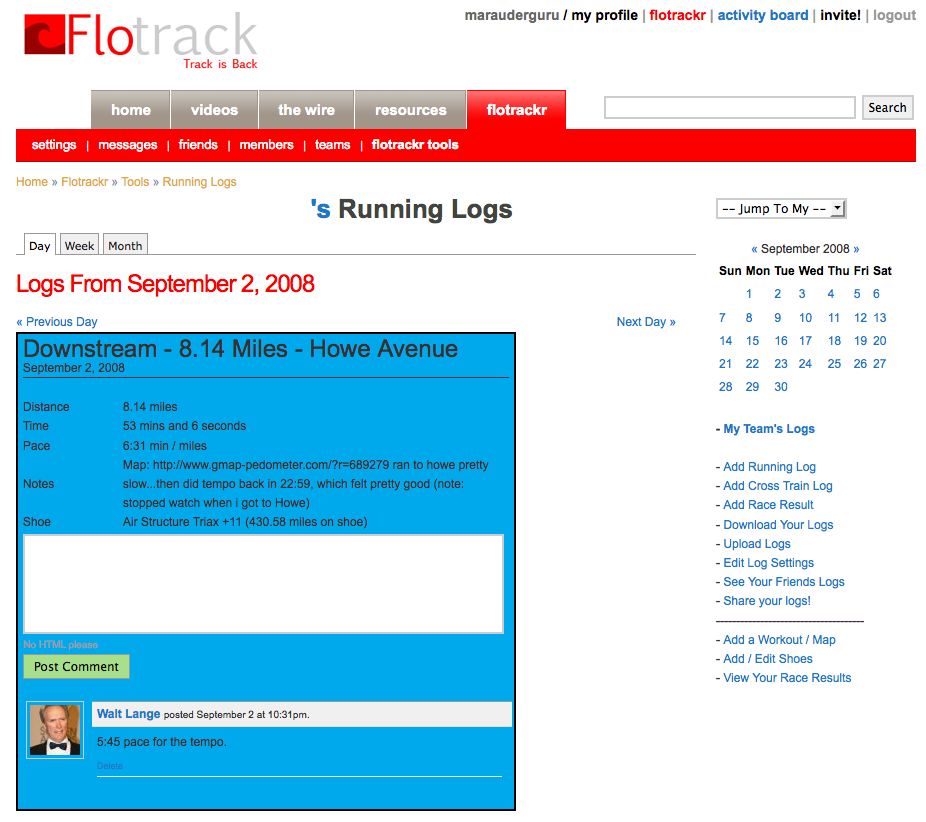
All of our mapped workouts have been uploaded to Flotrackr, where the athlete can select the run he did from a popdown menu, enter his time for the run, and Flotrackr computes the average mile pace and keeps mileage totals for day, week, and month. The screen shot below shows the window with the pulldown menu of running routes. After selecting the route he ran, the runner enters his time, and that becomes part of his season record.
This is an athlete's entry for September 2, 2008.
The runner selected "Howe Avenue" from the popup menu and entered his
overall time for the 8.14 mile run. The workout was actually run out
at moderate pace and return at tempo pace. The coach has left a brief
comment telling the athlete what his pace was for the tempo portion.
This is the coach's view of the athlete's log for that day:
This is the same athlete's training log for September, 2008. Athlete and coach can quickly note the daily numbers, the totals for each week, and the monthly volume. This athlete did not enter the time for several runs, so the pace averages are distorted. But for individual runs, where he did enter his times, the pace is calculated. The color scheme is the athlete's perception as to how he felt that day.
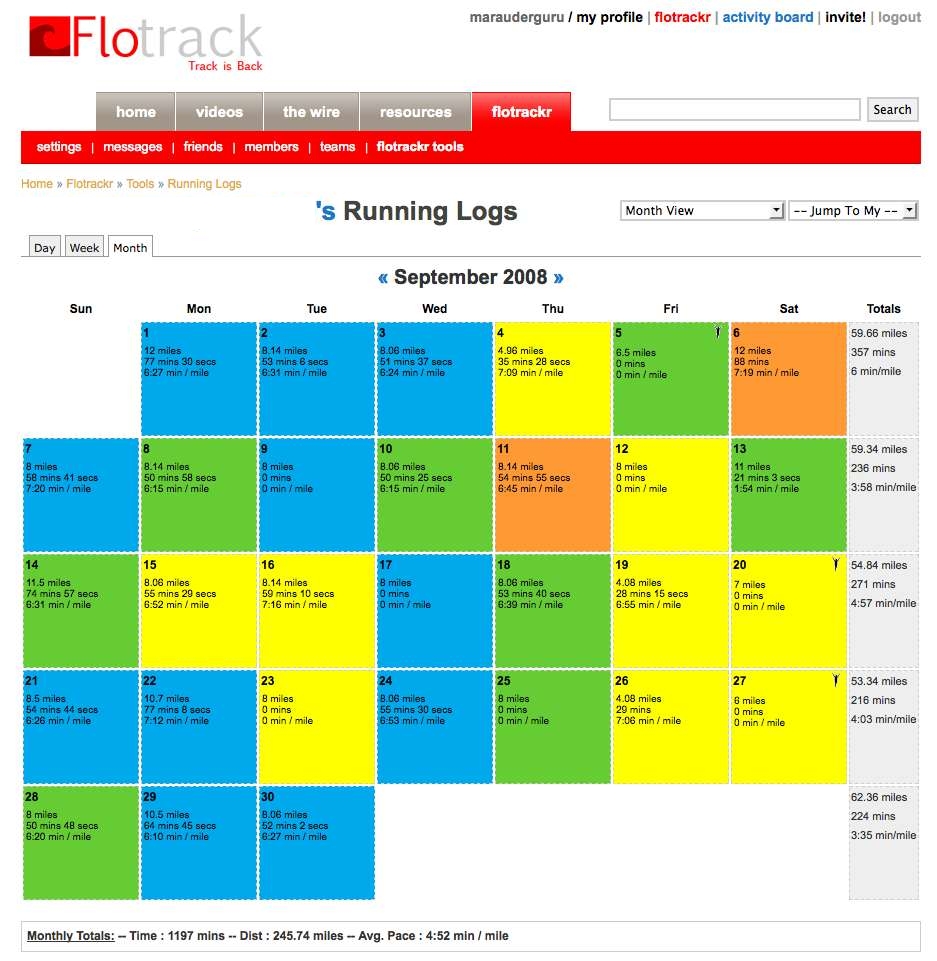
Flotrackr has proven to be an excellent communication tool for both coach and athlete.
Keeping a daily log encourages the runner to "take charge" of his
running and may motivate him to set his goals higher for both training
and racing. The comment feature enables the coach to maintain personal
contact with athletes that might be difficult with teams with large
rosters.
Athletic.net
Athletic.net has become our main repository for results and records. We have found it to be
less labor intensive than our earlier method of creating a web page of results for each meet and maintaining school records on separate web pages as well. Jesuit is a "Site Supporter", an extra feature costing $50/year, well worth the cost.
Here is our home page at Athletic.net for cross country:

We have always made meet results available to our athletes. Every meet has been documented in one form or another since 1970. The method has evolved from type-written handouts, to web pages, and now to Athletic.net. This is a meet result page posted at Athletic.net:

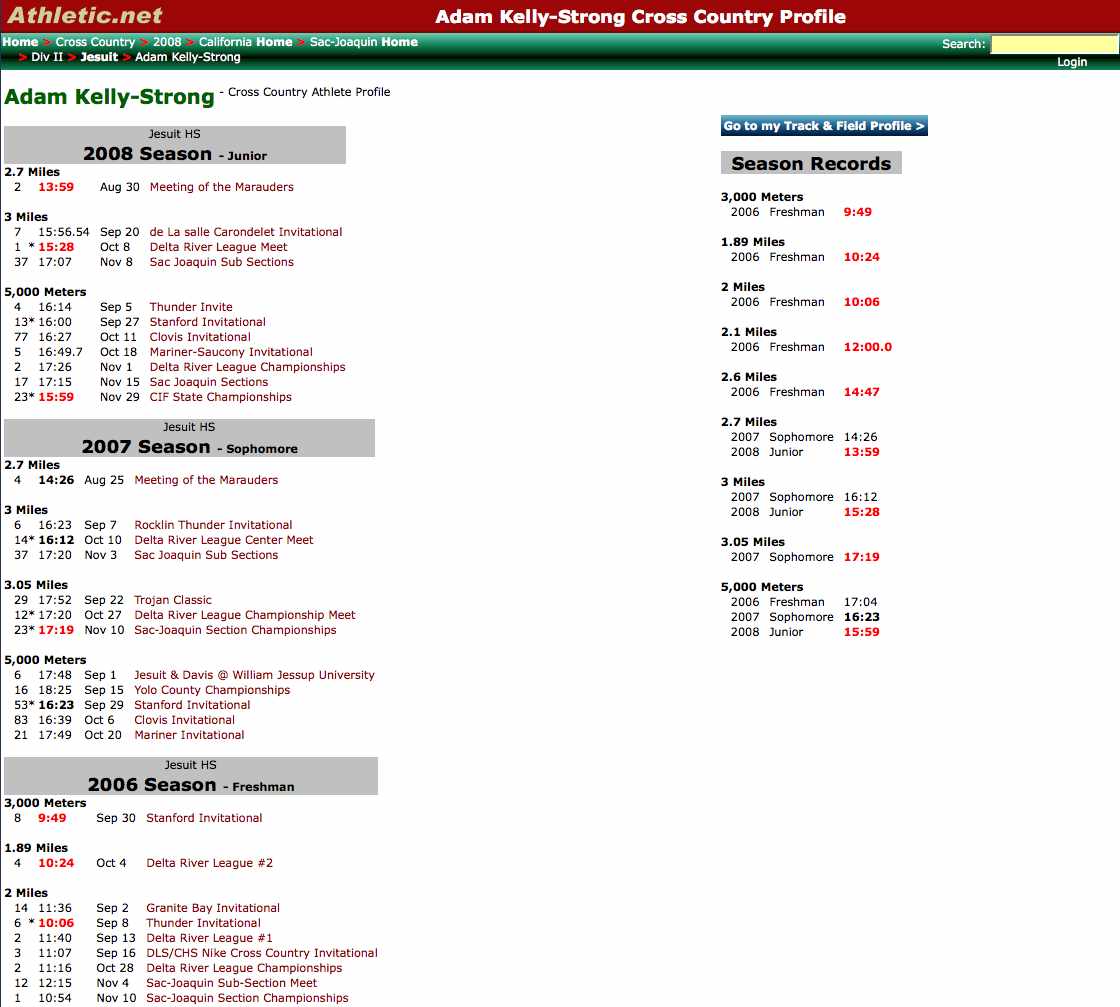
A terrific feature of Athletic.net is that it compiles each athlete's record over the course of his career. Athlete and coach can review that record at any time, and it's a particularly useful feature come time for the end of season awards banquet. Here is one athlete's record (note it includes earlier seasons, plus a link to his track meet results):
THE MINI CAMCORDER
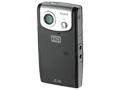
We use a minicamcorder at meets and post videos to the web. The minicamcorder can be carried in your pocket, is cheap, and video is very easyto upload to the web.
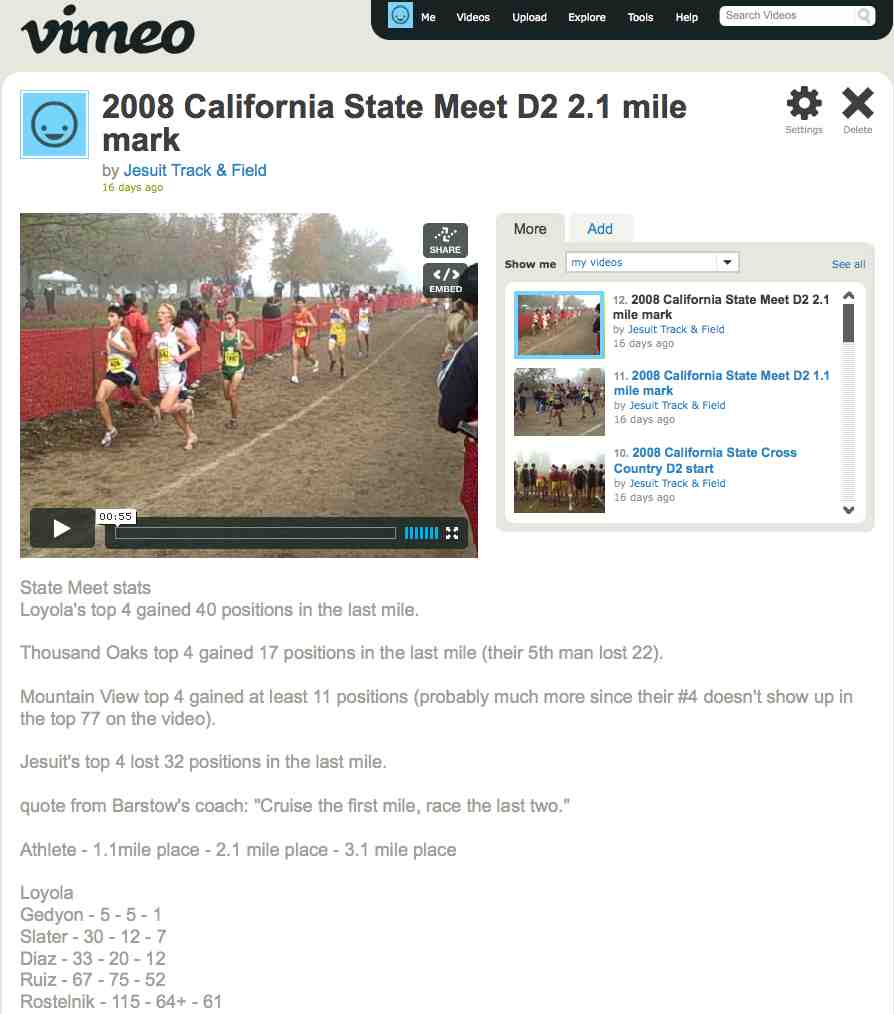
We try to include an analysis at various points of the race, noting our individuals' places and team scores at two or three check marks. Here's a video analysis of our state meet race, only partly visible in the screen shot below, it shows the positions of more teams and individuals, one mile from the finish line:
This is a rapidly developing market niche. The video above was created on a Flip Video Ultra, a product that has been on the market for over a year. It has since brought out a Mino and MinoHD. Here are just a few of the models available:
|
| ||
Flip Video Ultra$129 | Kodak Zi6$170
| Flip Video MinoHD$209
|